

Overview
The Zuper Connect ↔ HubSpot Integration enables seamless synchronization of both call and SMS activities between your Zuper Connect account and HubSpot CRM. This integration ensures that all customer communications including voice calls and text messages are automatically logged, organized, and visible in a single system of record. Who benefits from this integration?- Teams using Zuper Connect for customer communication.
- Sales and service teams in HubSpot who require complete call and message histories for improved coordination and customer context.
Call Activities Sync
What is Call Activities Sync?
The Call Activities Sync feature automatically logs every inbound and outbound call made through Zuper Connect into HubSpot, eliminating manual entry. Details captured include:- Date & Time
- Contact & Deal Association
- Call direction (inbound/outbound) and outcome
- Call duration and recording (if available)
- AI-generated call summary (if available)
Key Benefits
Setting Up Call Activities Sync
Prerequisites Before enabling Call Sync, ensure you have:- An active Zuper Connect subscription with calling enabled
- HubSpot CRM account with integration permissions
- Zuper–HubSpot integration is installed.
Configuration Steps
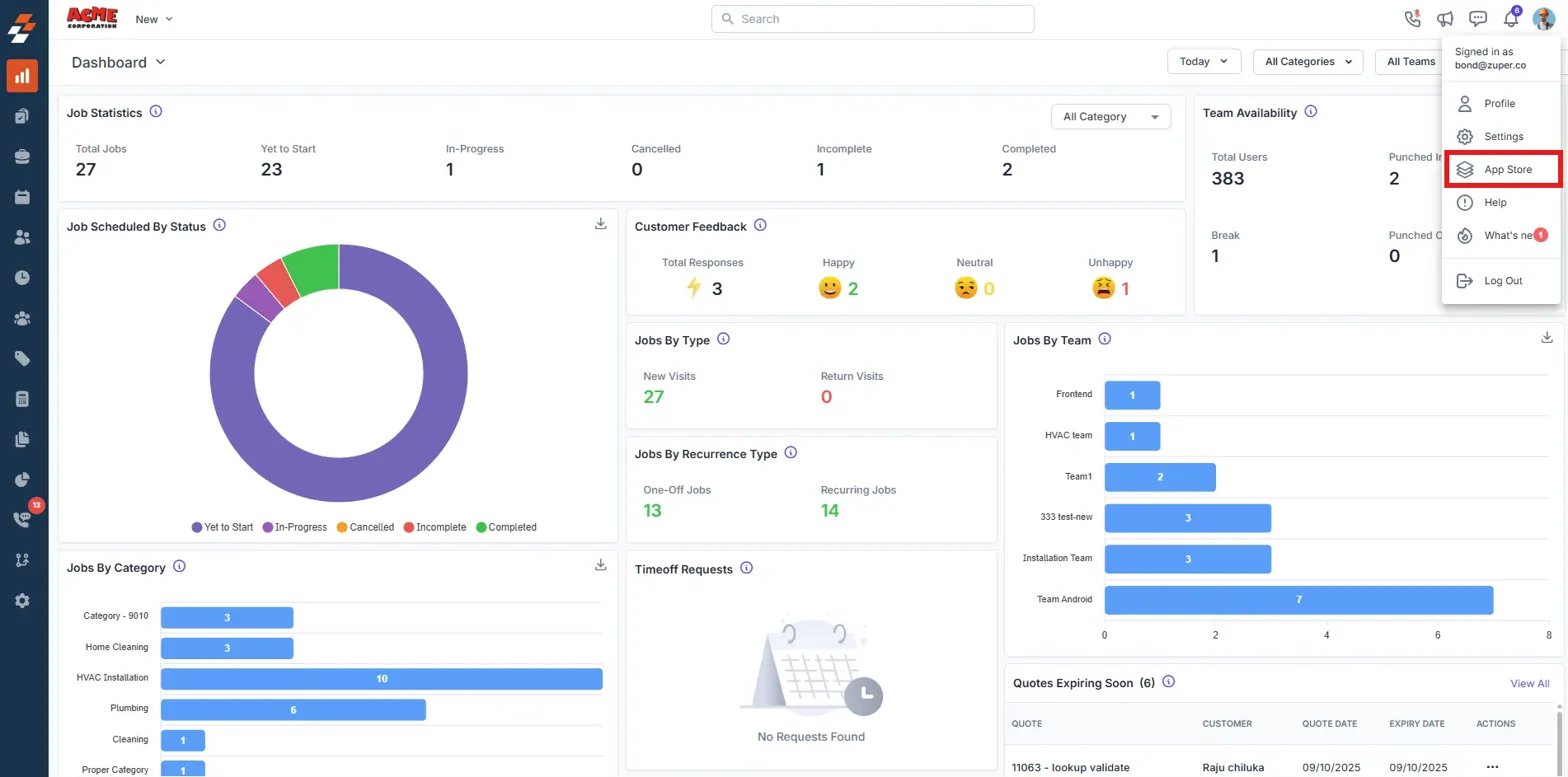
Once the prerequisites are met, you can configure the Call Activities Sync within Zuper Connect. Follow the steps below to complete the setup: Step 1. Open Integration Settings- In Zuper Connect, go to your Dashboard
- Click the Profile Menu → Select App Store
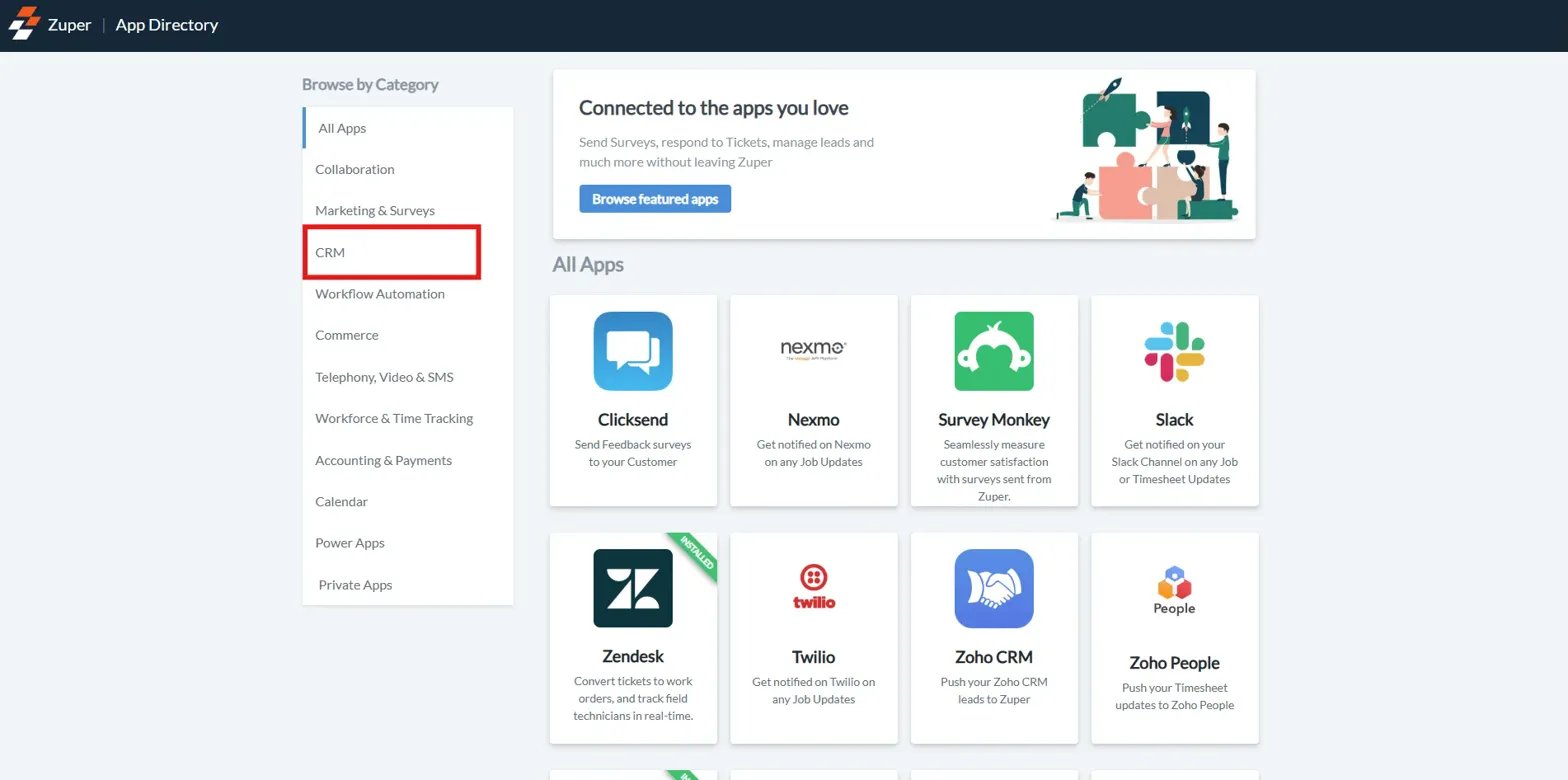
- Navigate to the CRM category.
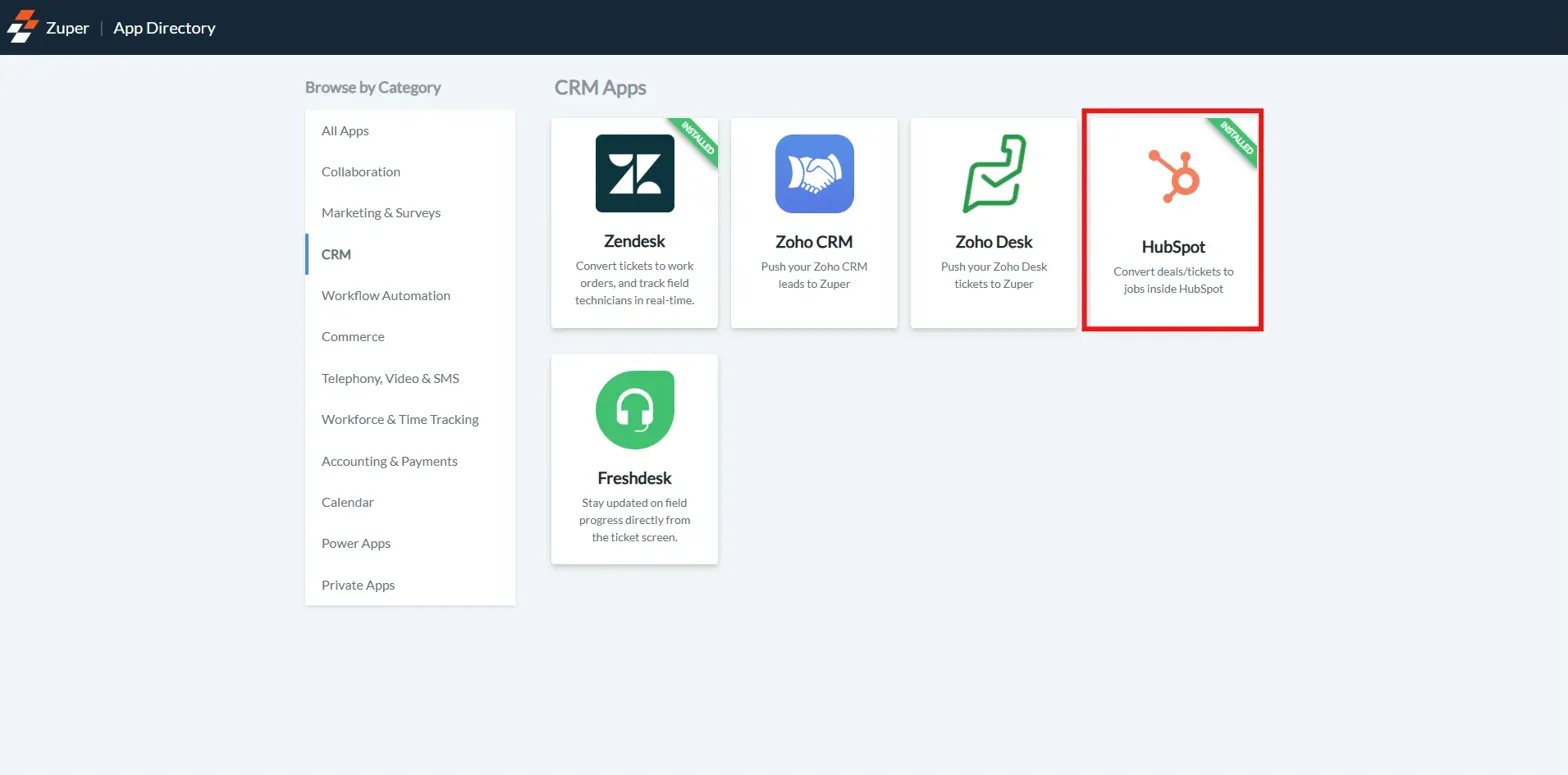
- Select HubSpot from the list.
- Click Configure Settings.
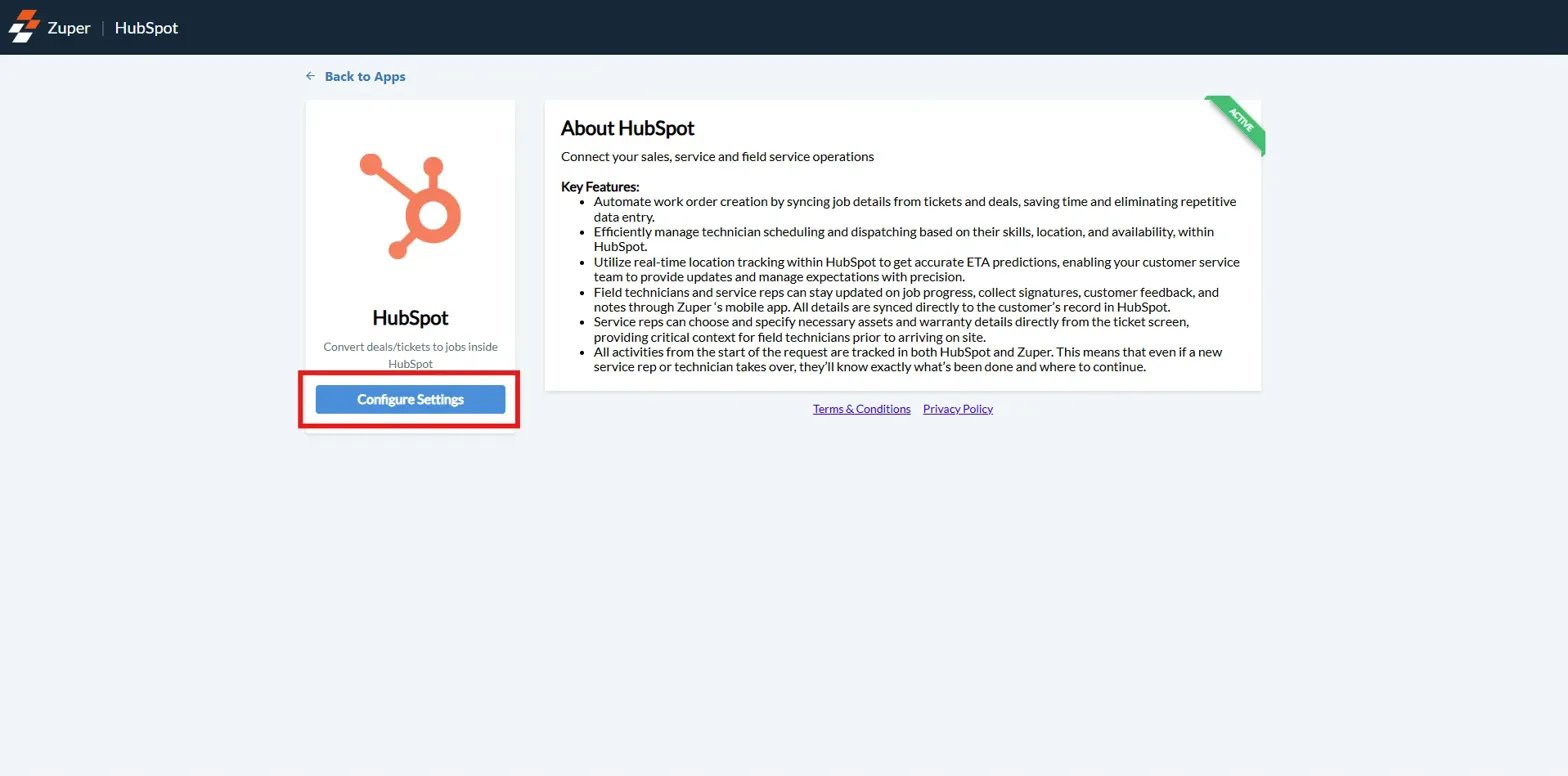
- Find Sync Zuper Connect Calls with HubSpot.
- Set this option to Yes.
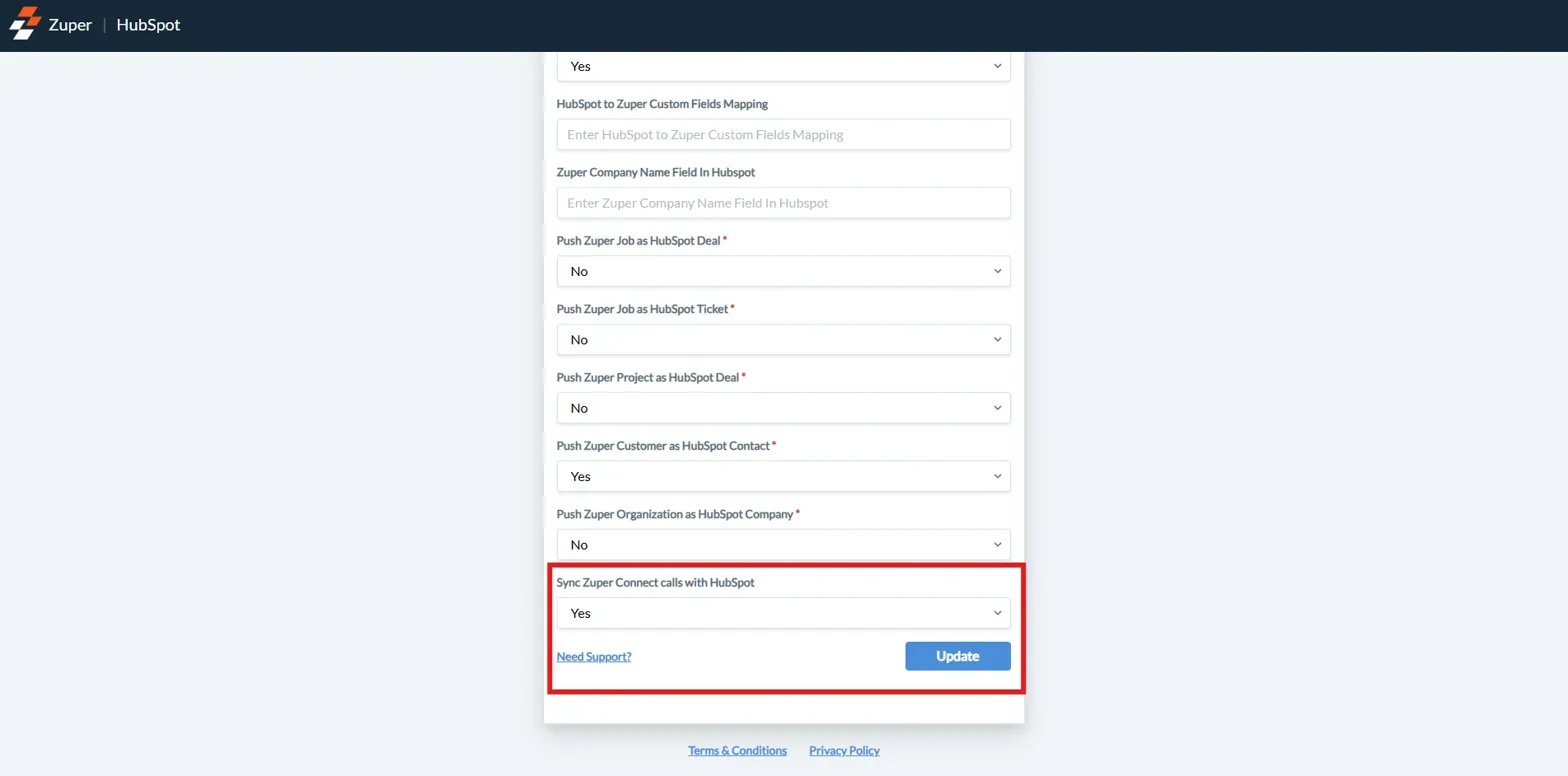
- Click **Update **to save your settings.
How Call Activities Appear in HubSpot
Once enabled, call activities from Zuper Connect are automatically logged in HubSpot under the respective deal, ticket, or contact records, making them easily accessible to users.In Deal / Ticket Records
In Contact Records
Data Synced Between Zuper Connect & HubSpot
The integration ensures that essential call details are transferred seamlessly between Zuper Connect and HubSpot, keeping both platforms updated.SMS Activities & Workflows
What Is SMS Activities Sync
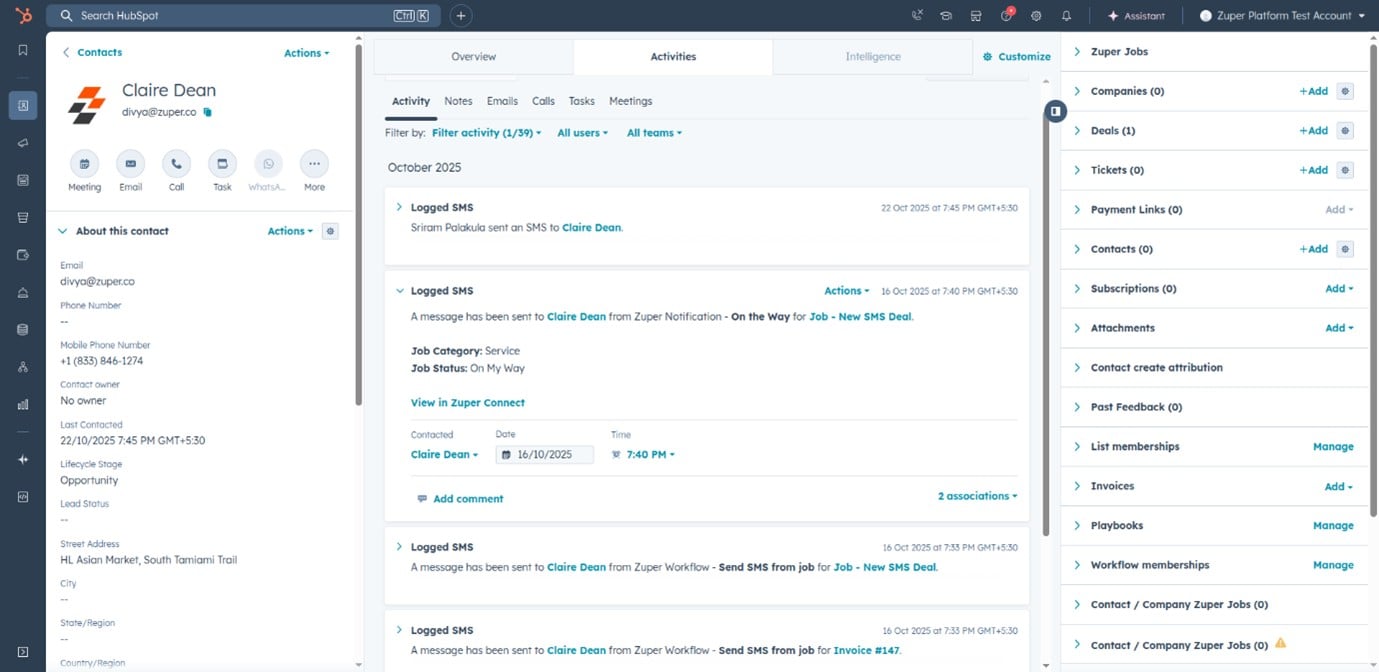
The SMS Activities Sync feature automatically logs every SMS sent or received through Zuper Connect into HubSpot. With HubSpot Workflows, you can also send SMS directly from HubSpot, automating text communication triggered by CRM events.Key Benefits
How SMS Activities Appear in HubSpot
In Contact Records
In Deal / Ticket Records
Sending SMS via HubSpot Workflows
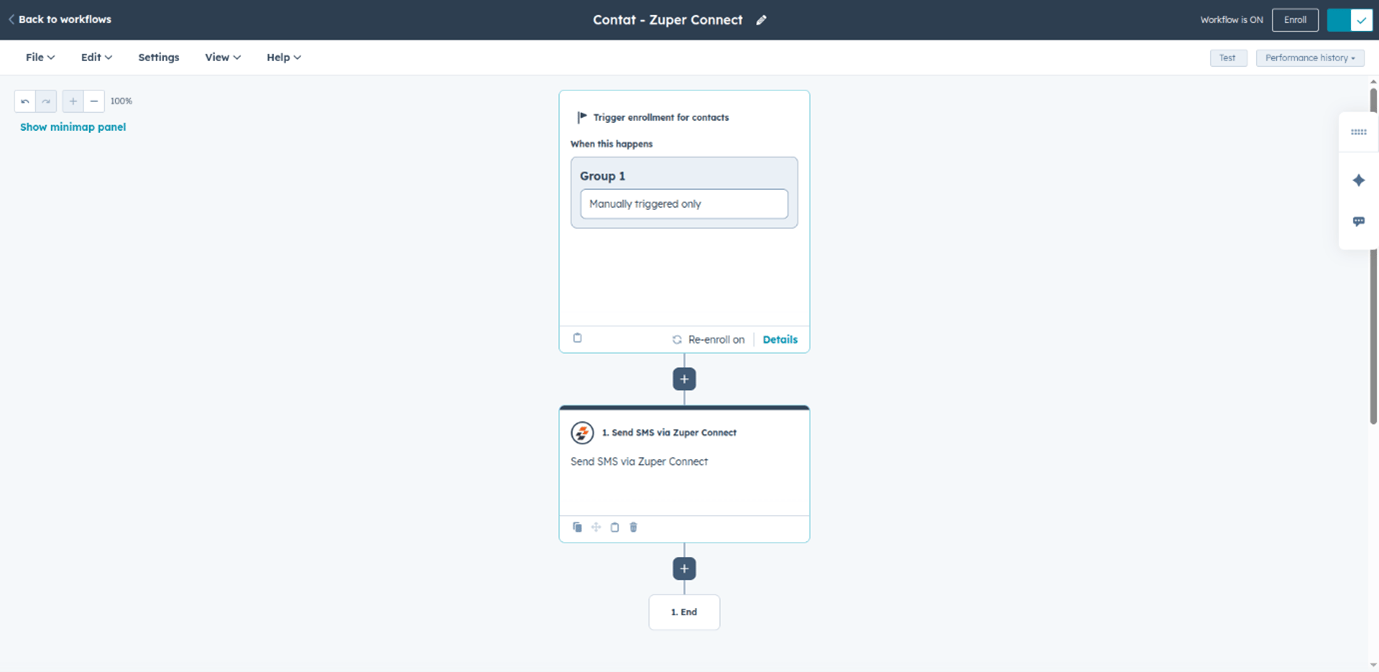
You can send SMS automatically through HubSpot Workflows using Zuper Connect’s Send SMS action. This enables event-driven messaging such as reminders, confirmations, and follow-ups.Workflow Setup Steps
- In HubSpot, go to Automation → Workflows.
- Create or open an existing workflow.
- Define enrollment criteria and trigger conditions.
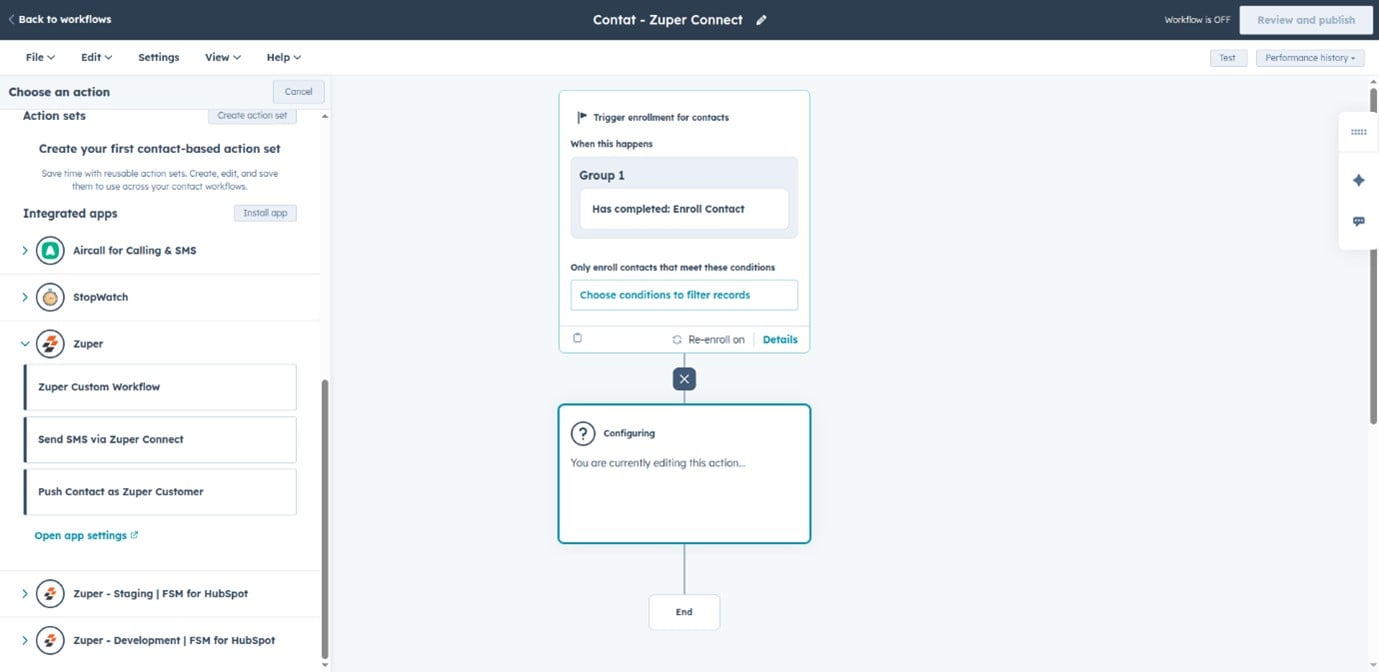
- Add a new Action → Search for Send SMS via Zuper Connect.
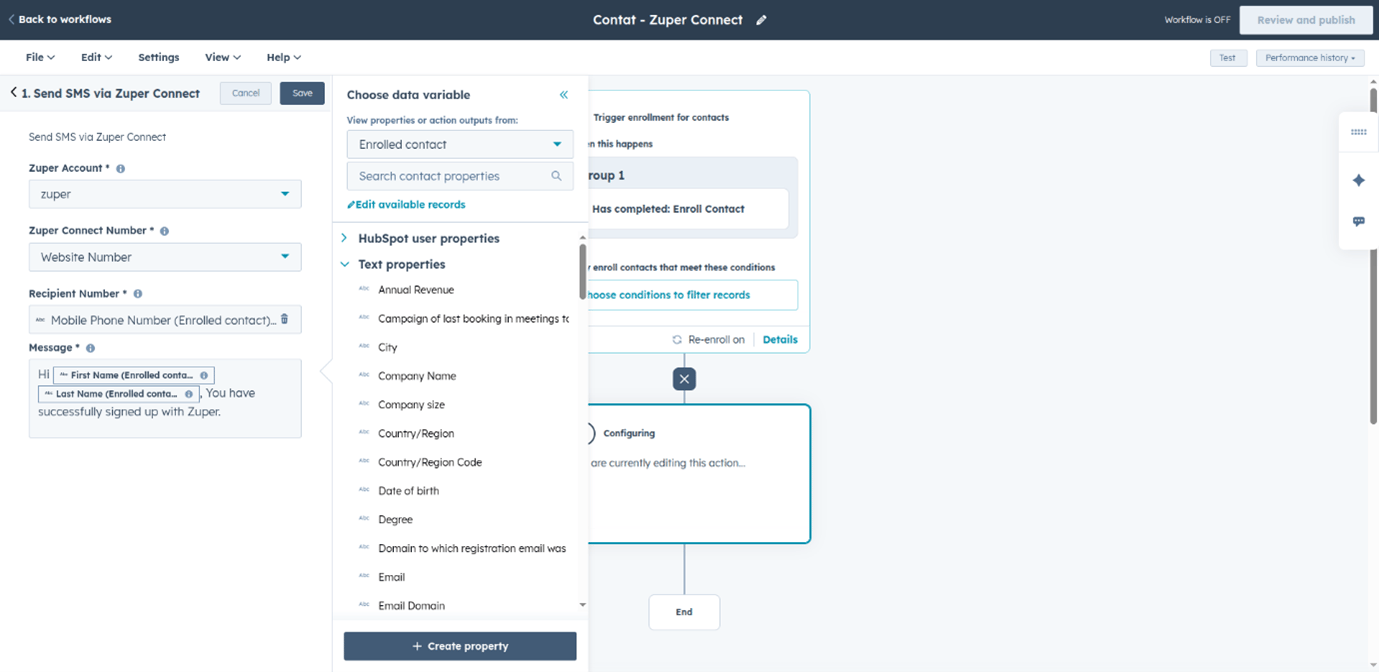
- Configure the SMS:
- Zuper Account
- Zuper Connect Number
- Recipient Number
- Message (use personalization tokens if needed)
- Test and publish the workflow.
Data Synced Between Systems
Troubleshooting
If activities aren’t syncing in HubSpot as expected, use the following guidelines to identify and resolve common issues.Best Practices
Follow these best practices to maintain smooth integration performance and data accuracy.For Call and SMS Logging
- Enable both Sync Calls and Sync SMS in Zuper Connect.
- Regularly review and update HubSpot–Zuper field mappings.
- Periodically check integration status in Zuper Connect settings.
For Workflow SMS
- Test workflows with a small set of contacts first.
- Personalize SMS messages using HubSpot contact properties.
- Avoid SMS fatigue by spacing out communications.
- Include opt-out options to maintain compliance with SMS regulations.