

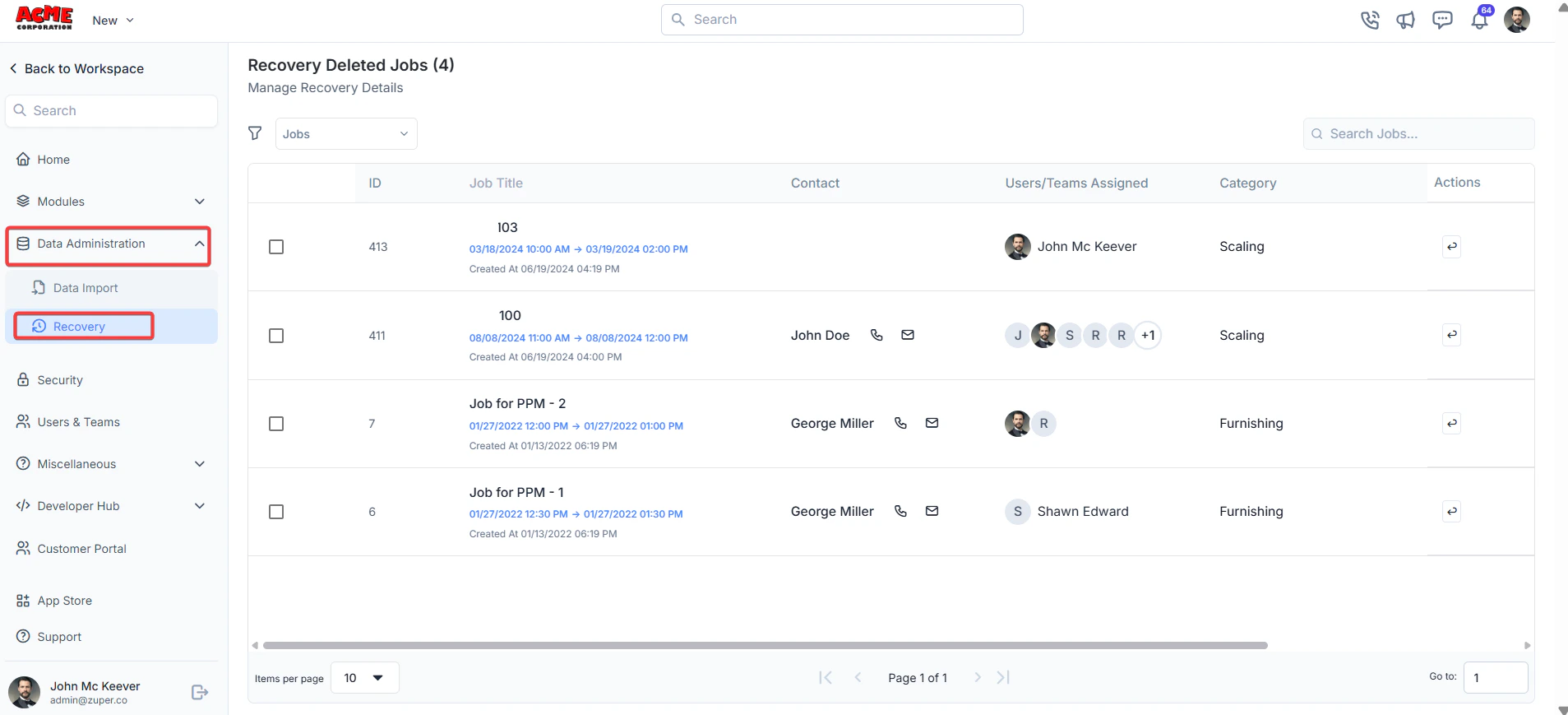
Navigation: Settings -> Data Administration -> Recovery
- Select the “Settings” module from the left panel. Under the “Data Administration,” choose the “Recovery.”
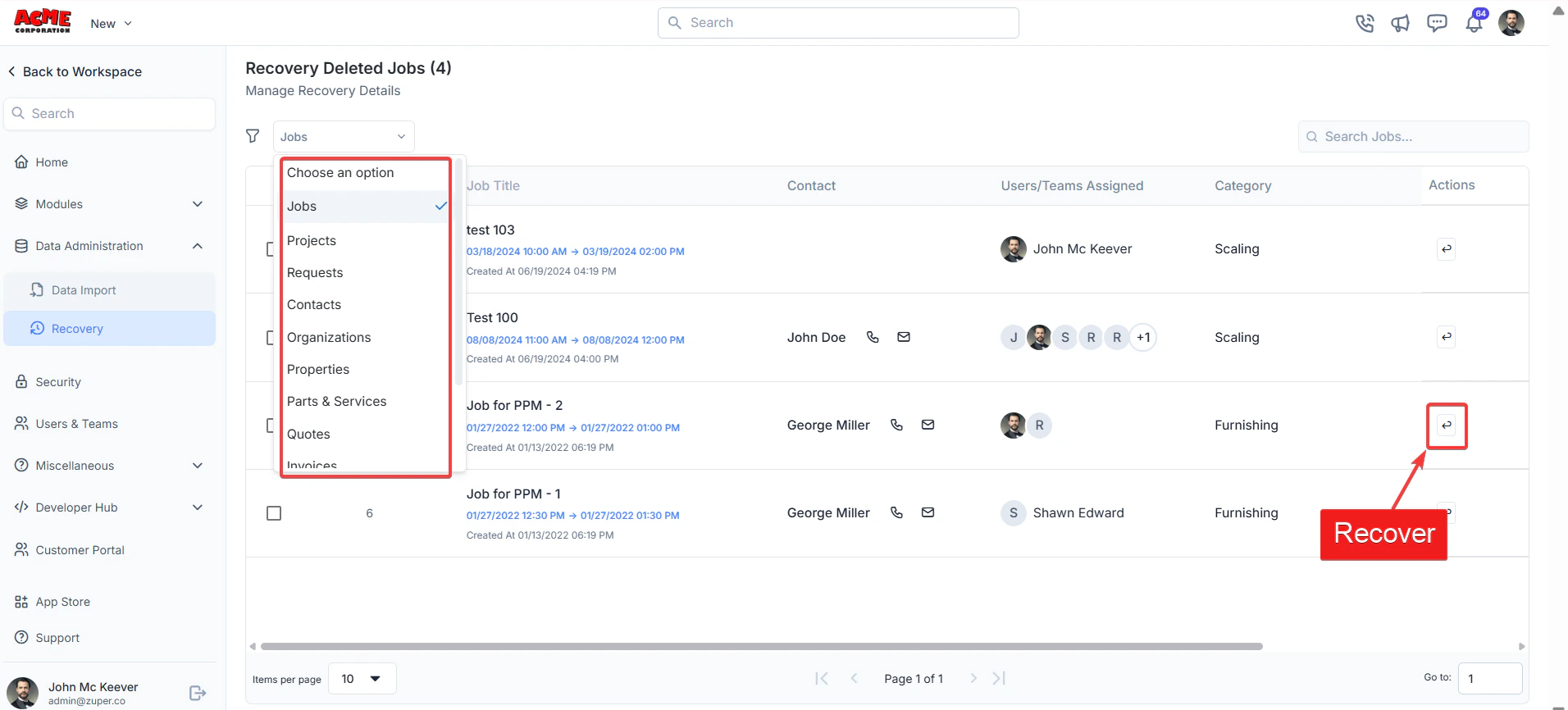
- Under the modules filter, select the module. Click the recover icon to restore the line item.
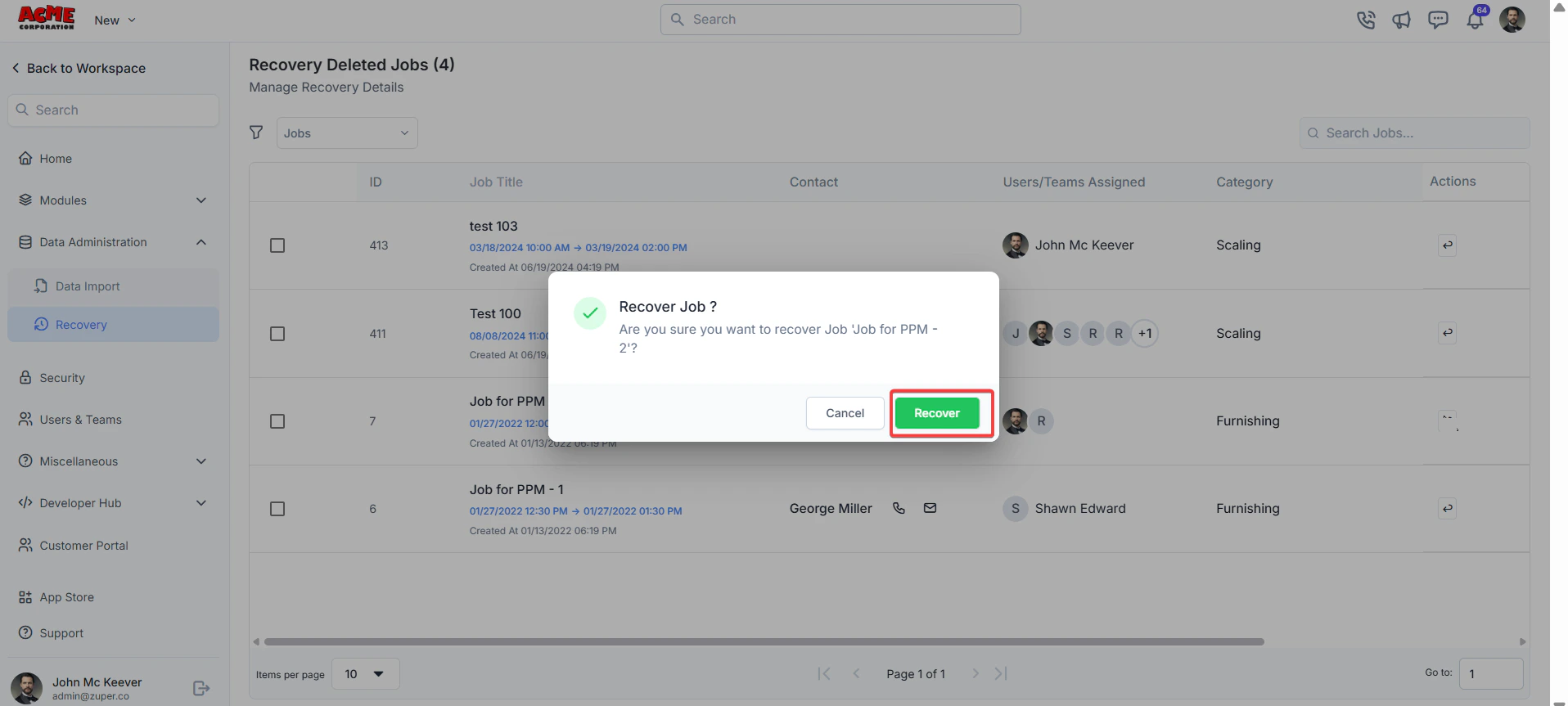
- Click the “Recover” button to recover the line item.
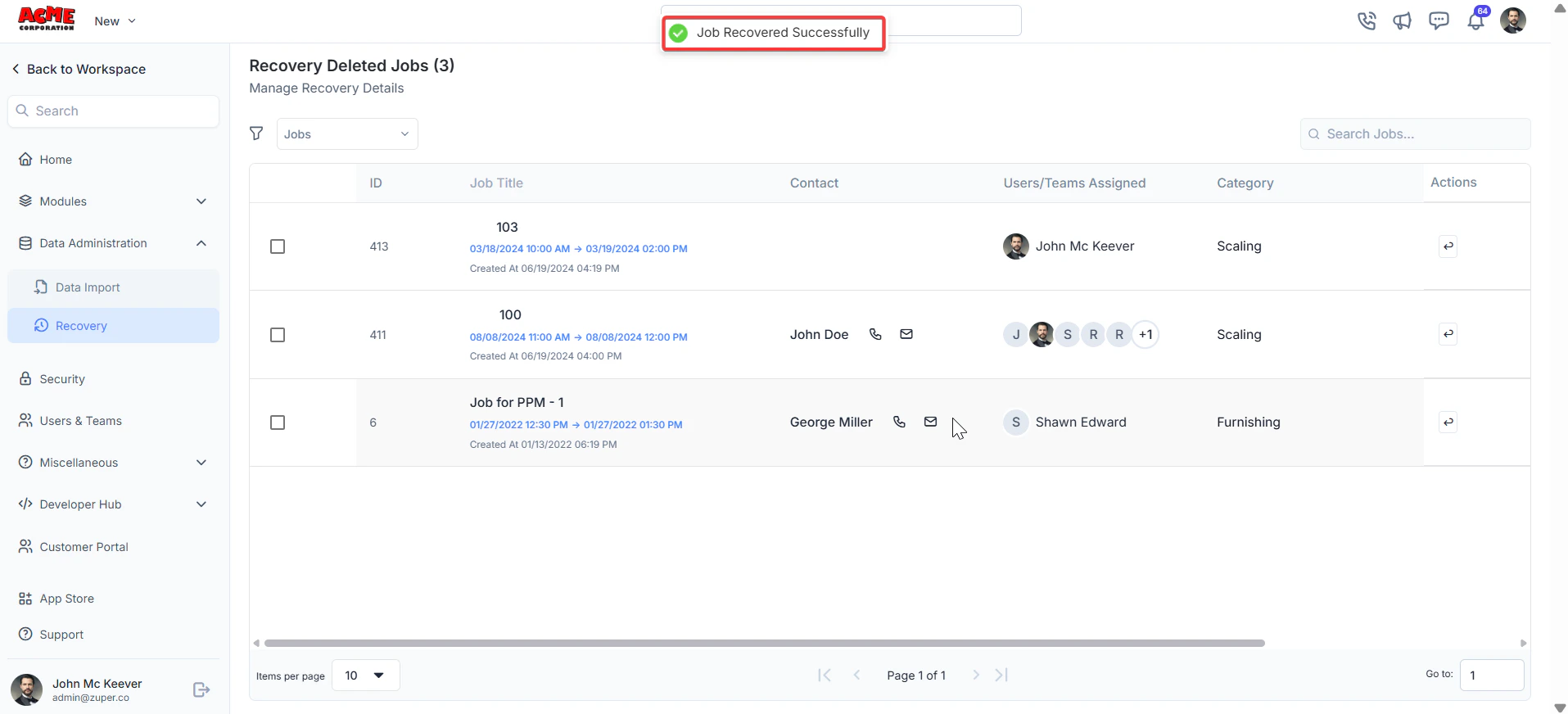
- The job is recovered successfully.
Note: You can recover deleted line items within 90 days. After 90 days, recovery will no longer be possible.
This feature helps maintain record accuracy and minimizes disruptions to workflow, keeping operations running smoothly.